Smart Scheduling
Auto-Generate Recurring Task Calendars
Define your schedule once. TaskCalendars handles the rest — adjusting for holidays, weekends, and business-day rules automatically.
Recurrence Patterns for Every Business Cycle
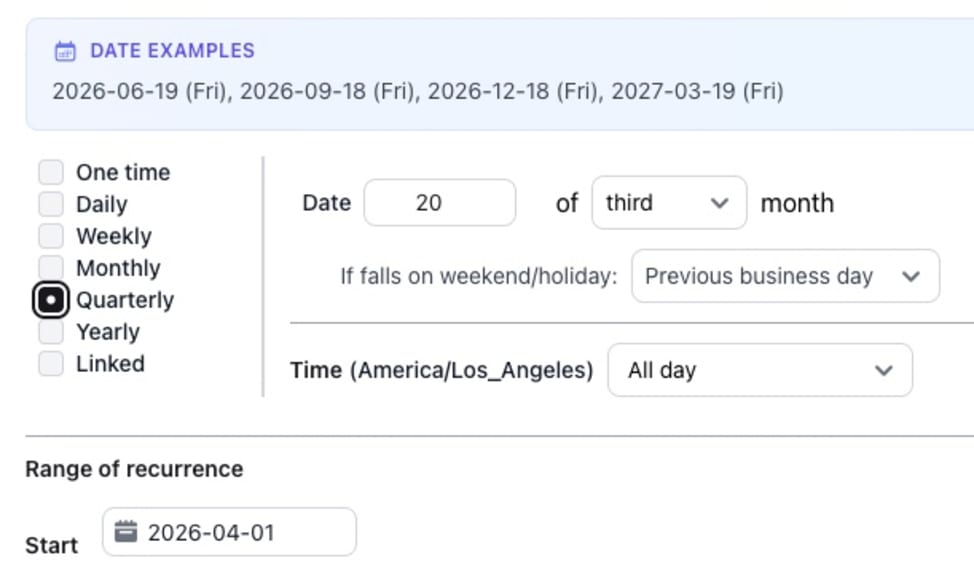
Whether your tasks repeat daily, weekly, monthly, or on custom intervals, TaskCalendars supports the scheduling patterns your business actually uses. Set up monthly close tasks, weekly reconciliations, quarterly filings, or any other recurring workflow.
Each task schedule is fully configurable — choose specific days of the week, days of the month, or relative dates like "the last business day" or "the third Friday." Once defined, TaskCalendars auto-generates task instances for each period so your team always knows what's due and when.
Business-Day-Aware Date Calculation
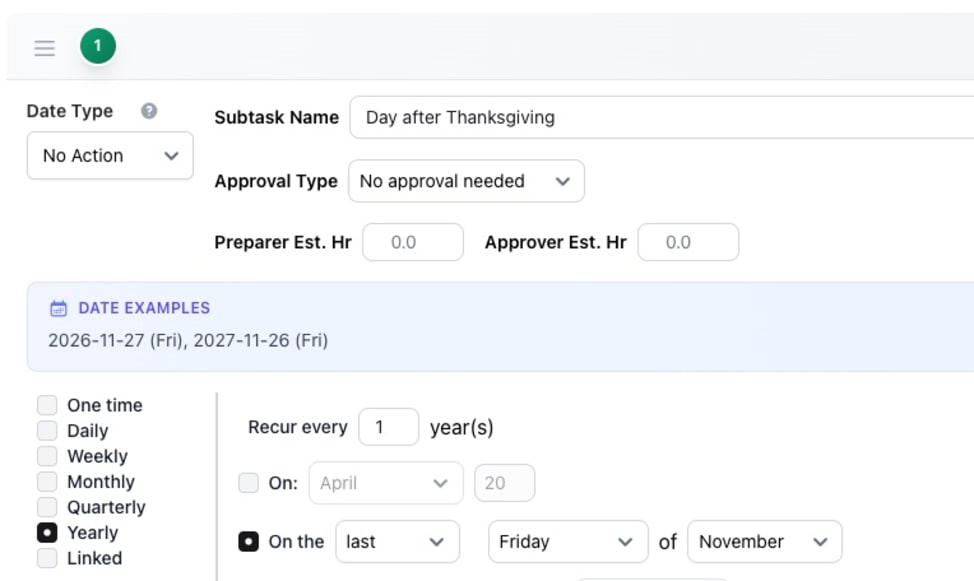
When a deadline falls on a holiday or weekend, TaskCalendars automatically shifts it to the nearest valid business day. Define your own custom holidays — like the Day after Thanksgiving — alongside standard ones to match how your organization actually operates.
TaskCalendars applies these rules across every task and every period, ensuring deadlines always land on actual working days. No more manual date checking or last-minute scrambles when you realize a due date falls on a non-working day.
Task Dependencies with Relative Due Dates
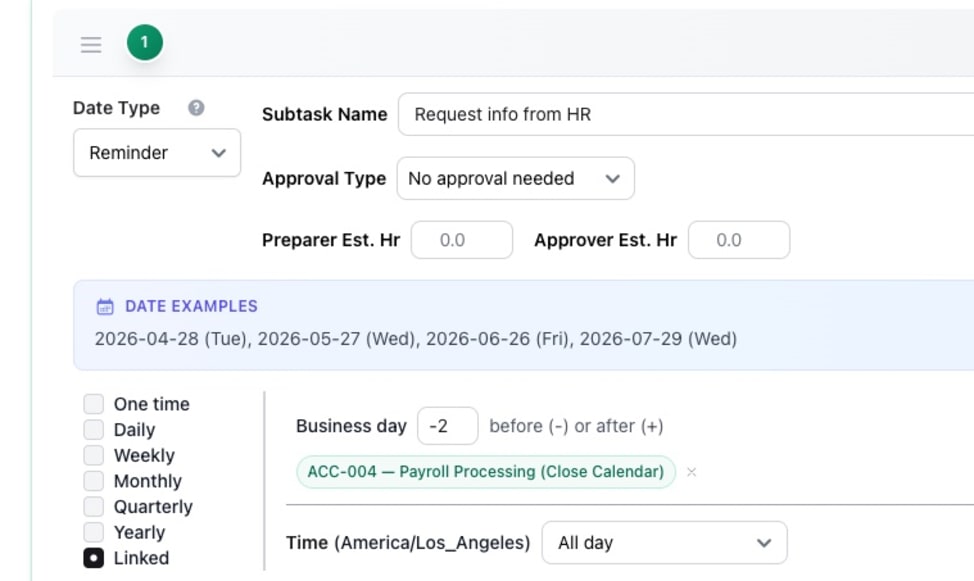
Tasks often depend on each other's timing. TaskCalendars lets you define a task's due date relative to another task — for example, "2 business days after the bank reconciliation is due" or "1 week before the filing deadline." When the anchor task's date shifts, the dependent task adjusts automatically.
This eliminates the need to manually track cascading deadlines. Define the relationship once, and TaskCalendars keeps your dependent tasks in sync across every period.
Explore More Features
Stop Managing Dates Manually
Join teams that save hours every month with intelligent recurring task scheduling.